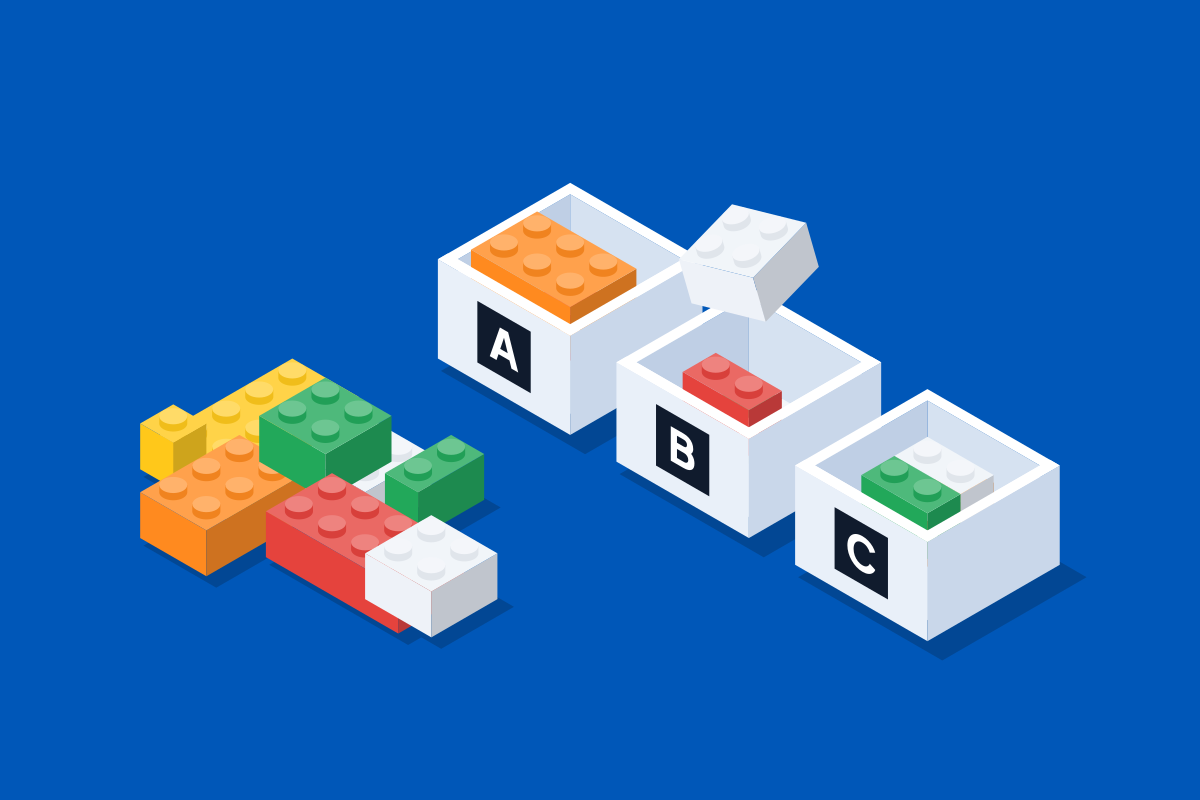
To sort a mixed pile of LEGO® bricks back into the sets they came from, you need three things: the set numbers, one container for each set, and each set’s parts list. Take one kind of piece at a time, check which sets need it and how many, and put that many in each set’s container. Anything no set needs stays in the pile.
Before you start
- The set numbers
- A parts list for each set
- A labelled container for each set
- One spare container with no label
Each set number is printed on the front cover of its instruction booklet. If a booklet is lost, look the set up by name and picture on a parts database such as Rebrickable or BrickLink; the same databases list every piece in a set, with a picture and a count. The spare container is for pieces you recognise but are not looking for yet.
Is sorting by set different from sorting by colour or shape?
Yes, because the goal is different. If you build freely, sorting by shape works best: bricks in one box, plates in another. We make that case in Why sorting by colour makes pieces harder to find.
Sorting by set is for when you want particular models back. Each container holds one set, in every shape and colour it needs. A piece belongs to a set only when its shape and its colour both match the parts list: a red 1×2 plate and a blue one are different pieces.
The two work well together. Sort out the sets you want to keep, then sort what is left by shape.
How do you sort bricks into sets by hand?
-
Choose a few sets
Start with a few sets, not all of them. Finish them, bag them, then add the next few.
-
Label a container for each set
Tubs, bowls, boxes or bags all work. Write the set’s number or name on each one.
-
Open the parts lists side by side
On a screen or printed, so you can see every set’s list at once.
-
Find every copy of one piece
Take the first line of one list, and find every copy of that piece in the pile.
-
Share it out between the sets
Check the other lists for the same piece. Put the right number in each set’s container, and tick it off on each list.
-
Move to the next line
Pieces that none of your sets need stay in the pile.
-
Bag each set as it finishes
When every line of a list is ticked, bag that set with its booklet and start the next.
Why is it slow by hand?
- Pieces are shared between sets. A common piece can be needed by several sets, in different amounts. Each time you find one, you check every list and keep a count for each set.
- The lists are long. Finding one piece among pages of small pictures, again and again, is most of the work.
- Colour matters as much as shape. Dark grey, black and dark blue can look alike in poor light, and a wrong colour means a wrong piece.
- Counts drift. Keeping tallies for several sets on paper is easy to get wrong, and you often only notice at the end.
How does BrickSorter do it?
BrickSorter is a phone app that does the list work for you, coming to the App Store and Google Play.
You add your sets by typing the number from each booklet, or by browsing by name and picture. Each set gets a letter, from A to Z, and you label a real tub with it. Up to 26 sets are sorted at once, and any more wait in line for a free tub.
The app then shows one piece at a time, as a picture, with how many to find in all. There are no part numbers to look up. Under the picture is a row for each tub that needs the piece, with its own count, such as 0 / 2. You drop the pieces in and tap each row. When every row is full, the next piece appears.
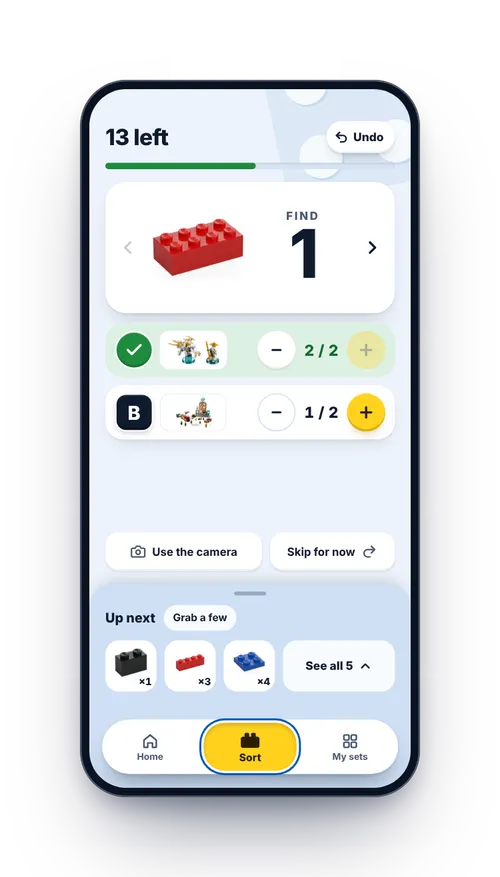
- The app picks the order. You can choose a goal, and star a set to give it a tub sooner.
- Shared pieces are shown once, with a row for each tub that needs them. See Shared pieces, spare pieces and leftovers.
- Spare pieces are never asked for. They stay in the pile.
- You can skip. If you cannot find a piece, tap Skip for now. It comes back at the end, when the pile is small. See Skipping a piece and coming back.
- You can stop at any time. The app saves your place as you go. Next time, the tubs keep their letters and counts.
When a set is finished, the app asks you to empty its tub into a bag before the next set takes that letter. A new set’s pieces never land on top of a finished one.
What tips make it easier?
- Leave the smallest pieces until last. They are easier to spot once the pile has shrunk. In BrickSorter, skipping a piece does this for you.
- Work in good light. Daylight or a bright lamp helps you tell dark colours apart.
- Use a flat tray. Spread the pile in a single layer, so nothing hides underneath. A plain tray shows pieces better than a patterned table.
Questions people ask
How long does it take to sort a pile back into sets? It depends on how many sets are in the pile, how big they are and how mixed up they are. Starting with a few sets means you finish something early.
What if I do not have the instruction booklets? Parts databases let you search by name and theme, with a picture of each set. In BrickSorter, tap No number? Browse sets to do the same. See Adding your sets.
What do I do with the pieces left over? Expect some: spares, extra copies, and pieces from sets you have not listed. Keep them in a separate box, or sort them by shape for building freely.
Is there an app for sorting bricks into sets? BrickSorter is one. The first 300 pieces you sort are free, and a one-off payment then adds 10,000 more (see Pricing). Sorting works by hand, with no camera needed.